
How does it work?
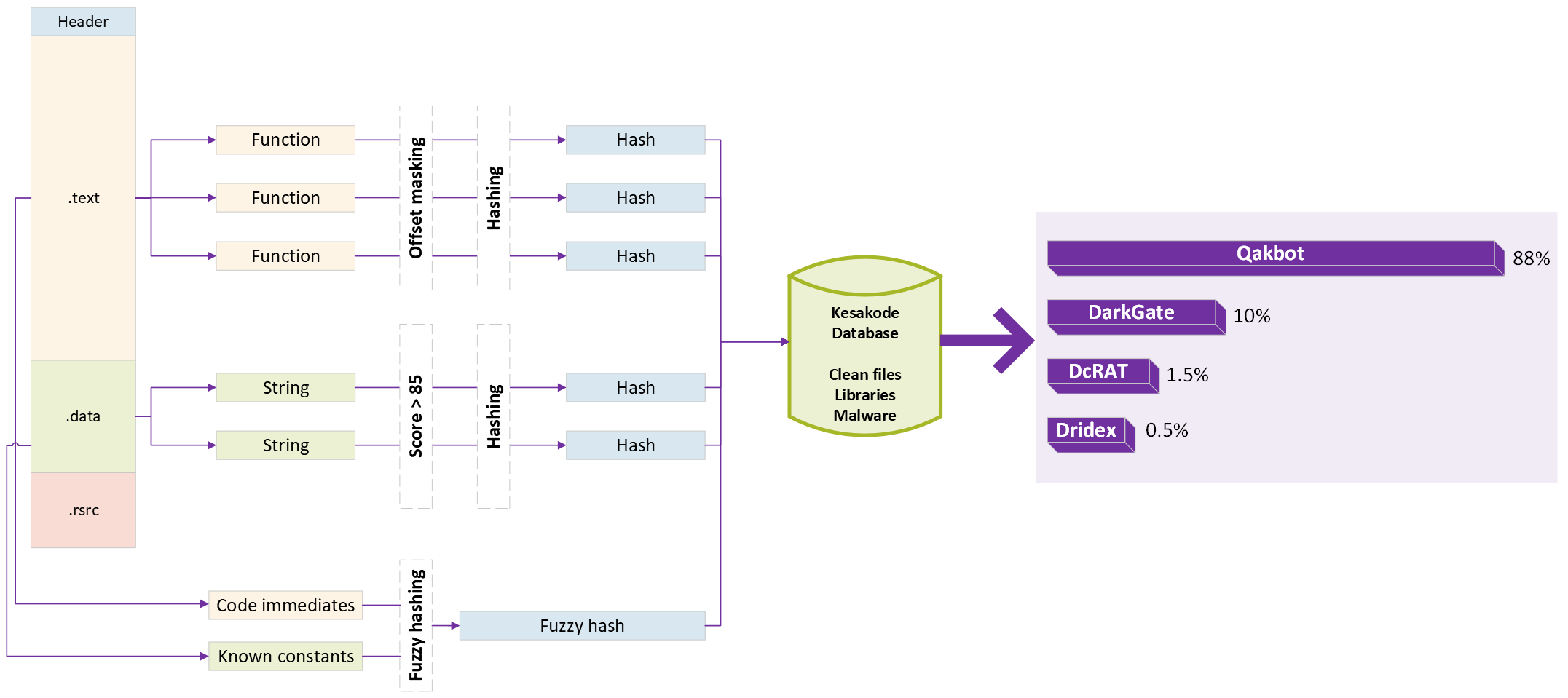
Kesakode indexes features from malware families, known clean programs and libraries. When you query a sample, Malcat computes the same features and looks for matches in that reference dataset.
Three sources of evidence
Functions
Interesting functions are hashed after absolute offsets are masked, so code relocation does not prevent an exact match. Fuzzy matching can be selected to detect code variations.
Strings
Malcat's scoring system selects interesting strings. Their hashes help recognize artifacts shared with clean code, libraries or malware.
Constants and immediates
A fuzzy hash summarizes interesting code immediates and data constants. Similarity matches provide another signal when code or strings differ.
From matching artifacts to family scores
For functions and strings, the service first checks library matches, then clean programs, then malware. Malcat shows the results in the Kesakode view and applies the labels in its code, string and data views.
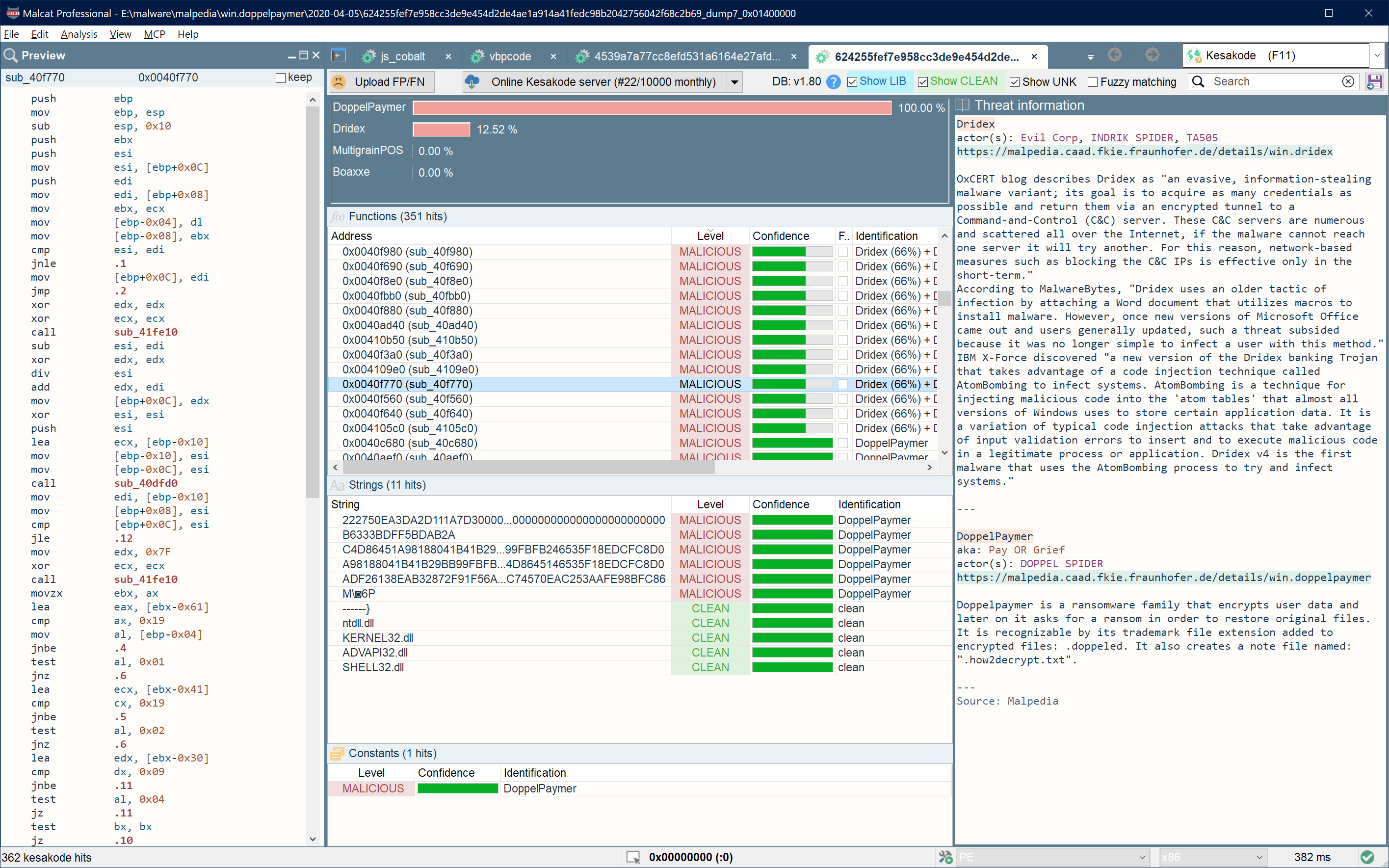
Constant-set similarity and the matching functions and strings contribute evidence for the family assessment. Malcat displays likelihood scores and the individual matches so you can make the final call.
- LIBRARY
- Seen in a known library; the library name is returned.
- CLEAN
- Seen in a known clean program.
- MALICIOUS
- Seen only in malware; matching family names are returned.
- UNKNOWN
- No known match. Inspect the artifact in the context of your investigation.
How do fuzzy matches work?
For constants and immediates, Kesakode compares the sample's fuzzy hash with nearby malware entries and returns families whose similarity exceeds 80%.
The optional fuzzy function lookup can also match code that is similar rather than identical. It searches malware and library functions that did not already produce an exact match, returning similarities of at least 88%. Fuzzy function queries take longer than exact lookups.
Use cases
Malware identification
Use Kesakode on unpacked samples or process dumps to investigate which malware family they belong to. Matching functions and strings also reveal artifacts shared between families.
Packed or encrypted content can hide the features needed for identification. Recover the payload first, then inspect the family matches against its code and data.
Detection engineering
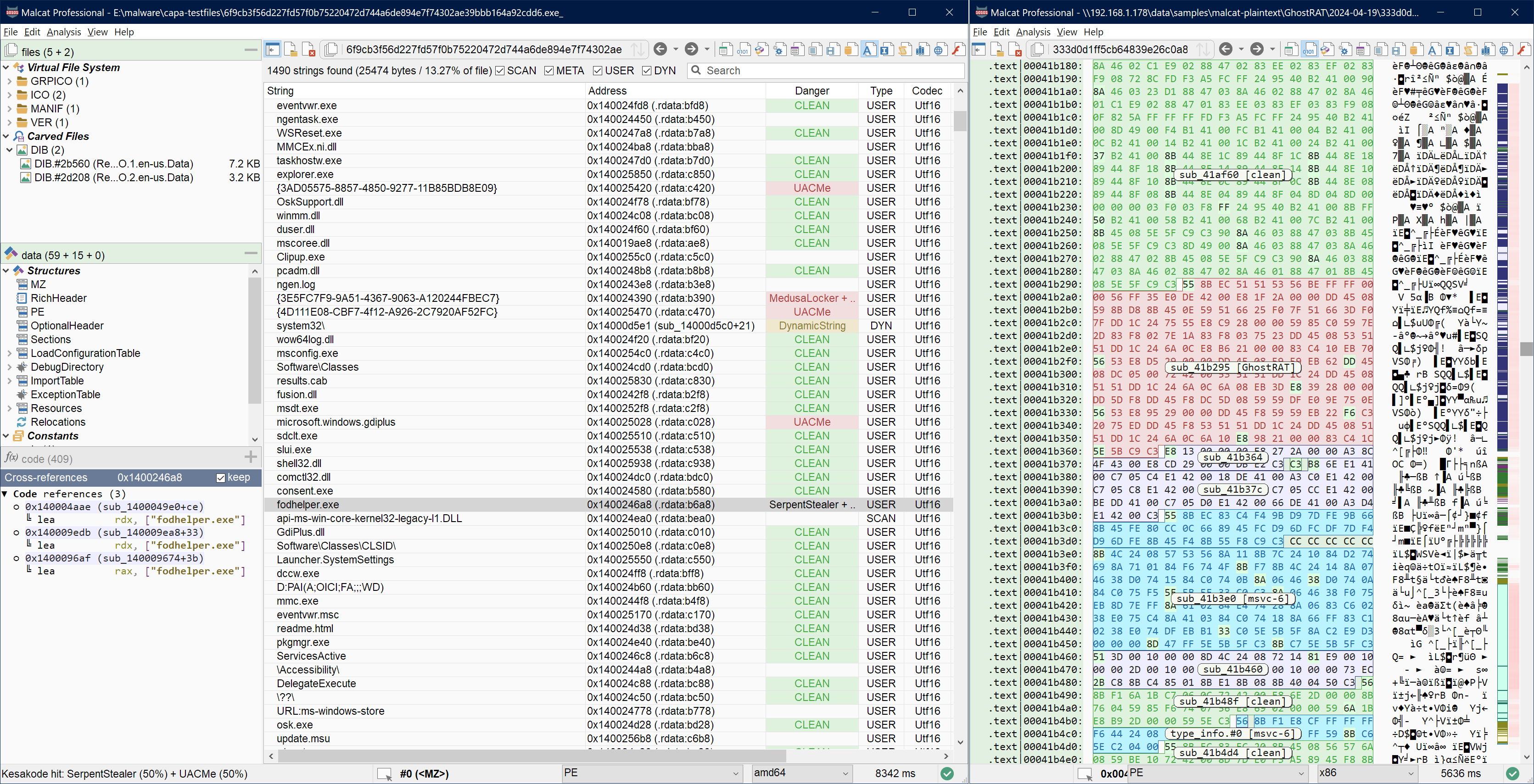
Writing a useful YARA rule starts with finding distinctive code and strings. Kesakode's UNKNOWN and MALICIOUS labels help you identify candidate artifacts that have not been seen in its clean or library datasets.
Review those candidates in Malcat's code, strings or data views, then write and test the rule in the embedded YARA editor. This can help even when the malware family is absent from the database.
Faster reverse engineering
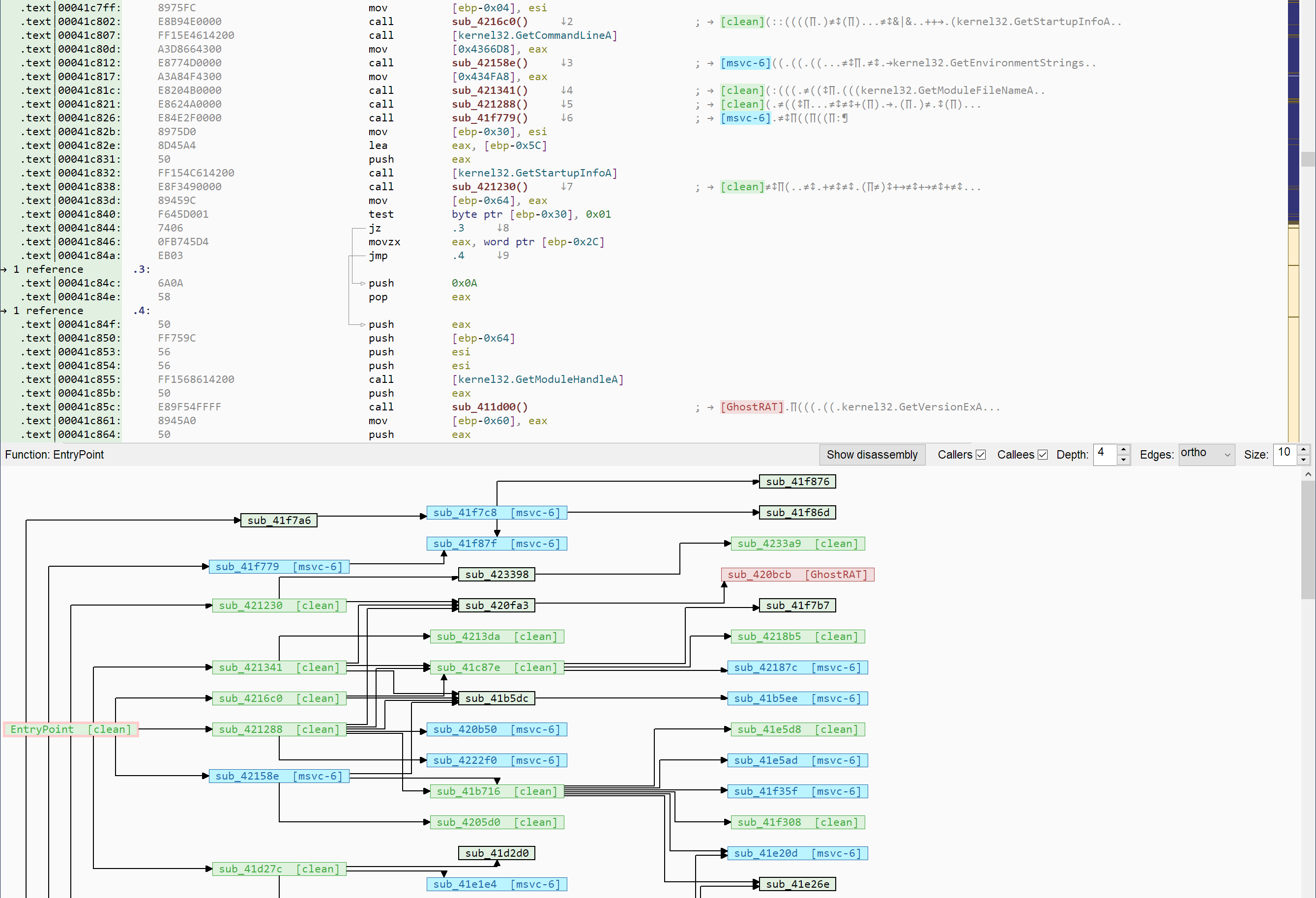
Recognize library and runtime functions before spending time on them. Kesakode labels known clean and library code in the disassembly view, including the library name when available.
Use those labels to concentrate on the functions, algorithms and strings that are specific to the program you are investigating.
Online and offline lookup
Kesakode is included with all paid versions of Malcat. Choose online lookup for the larger reference dataset, or offline scanning to keep identification entirely local.
Online lookup
Online lookup uses the larger dataset of malware, clean programs and libraries. Only hashes are submitted to Malcat's service; the analysed file stays local.
Online access requires a paid license within its eligible update period. Queries are subject to your edition's quota, which Malcat displays beside the online lookup action.
Typical queries take 1–4 seconds plus network latency, depending on the number of functions and strings in the sample.
Offline scanning
In the Desktop editions, offline scanning is limited to the GUI. The bundled database provides a preliminary malware lookup, without clean or library classification, and is updated with Malcat releases.
Malcat OEM is the only edition that supports headless offline Kesakode, with both malware and library hits. Use it to add local identification to your products and automated analysis pipelines.
Offline scans make no network request and do not consume your online quota. They typically take around 100 milliseconds to one second; the smaller dataset provides less coverage than the online service.
Connect your own identification service
Malcat also supports alternative Kesakode providers. Implement a provider through the threat-intelligence API and select it in the Kesakode view to use another service or a self-hosted dataset.
The hashes-only behavior described above applies to Malcat's own Kesakode service. Third-party providers have access to the analysis and file objects and may upload files; their data handling depends on the provider you choose.
Frequently asked questions
How do I use Kesakode, and what does it cost?
Kesakode is included with all paid versions of Malcat. Desktop users access it through the Kesakode view, including GUI-only offline scans. Online queries require a license within its eligible update period; the bundled offline database remains available locally.
How many online queries can I make?
Queries are subject to rate limits and an edition-dependent monthly quota. Malcat shows the used and available queries beside the online lookup action. Pro includes a larger allowance; contact us if your workflow needs more capacity.
Why did my sample produce no family match?
Check whether the code and strings are still packed, encrypted or obfuscated. Kesakode's family identification is intended for unpacked or dumped payloads. An unpacked sample may also belong to a family that is absent from the reference dataset.
You can report a missed detection or a false positive through Malcat. See the submission guidance.
Can I use Kesakode in an automated pipeline?
The Python API can query online Kesakode from a headless analysis. Malcat OEM is the only edition with headless offline Kesakode, including both malware and library hits. Offline scans in the Desktop editions are limited to the GUI. Discuss an integration for your product, volume and deployment needs.
Does Kesakode use AI to identify malware?
Kesakode uses hash matching, fuzzy similarity and classification algorithms. The returned artifacts and family scores provide evidence for your assessment. An LLM connected through Malcat's MCP can use that evidence as part of an automated investigation.
Where does the name come from?
Kesakode combines “Kesako”, from the Occitan “qu'es aquò” meaning “what is it?”, with “code”: “What is this code?”
Read the full Kesakode documentation · Explore Malcat Desktop · Compare editions