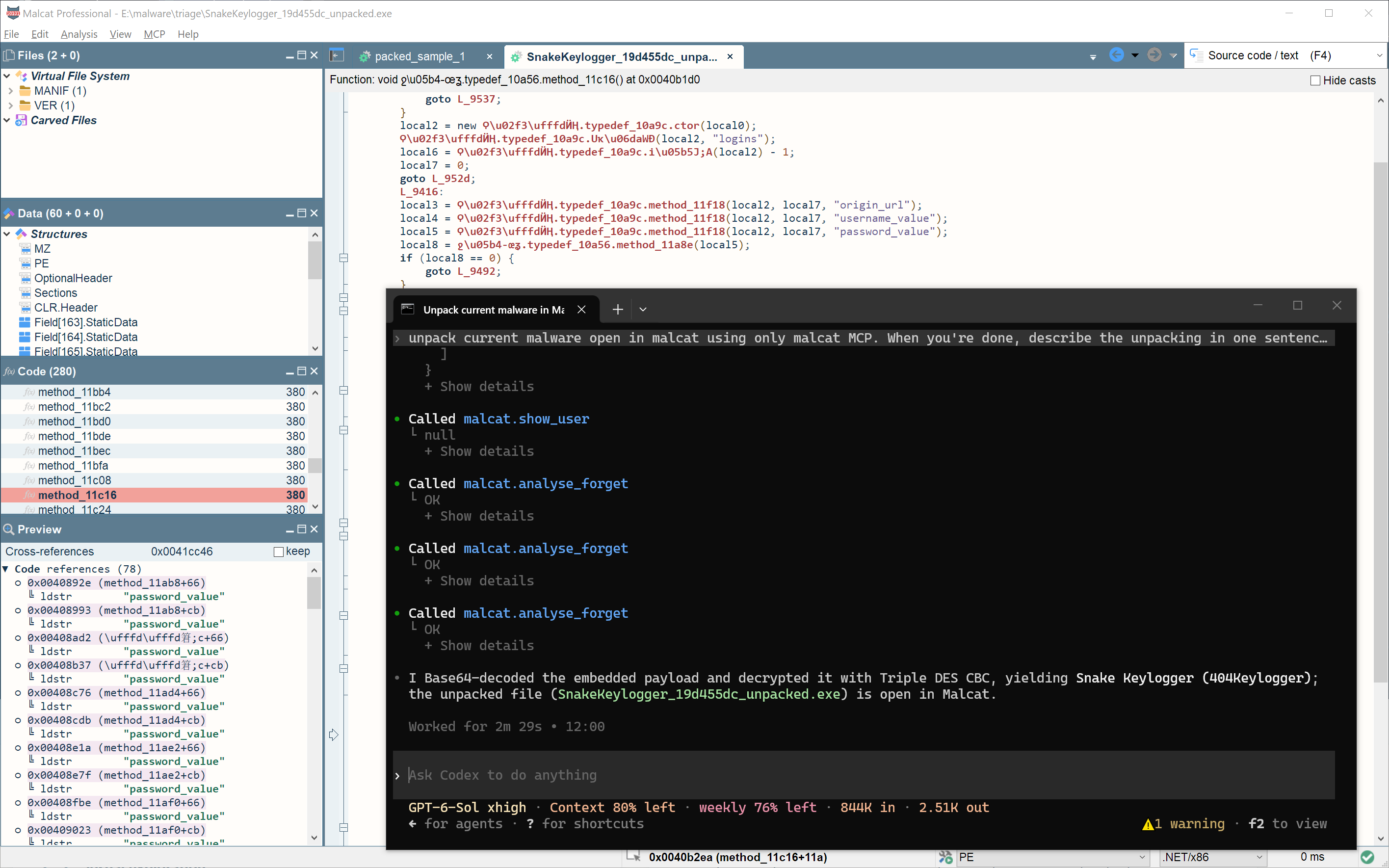
Inspect files
Malcat can analyse most files in under five seconds. Its 60+ file-format parsers expose binary structures, archive members and embedded objects in the same interface.
Explore the hex and structure views, extract archive members and carved files, or inspect a file's overall layout in the DNA view.
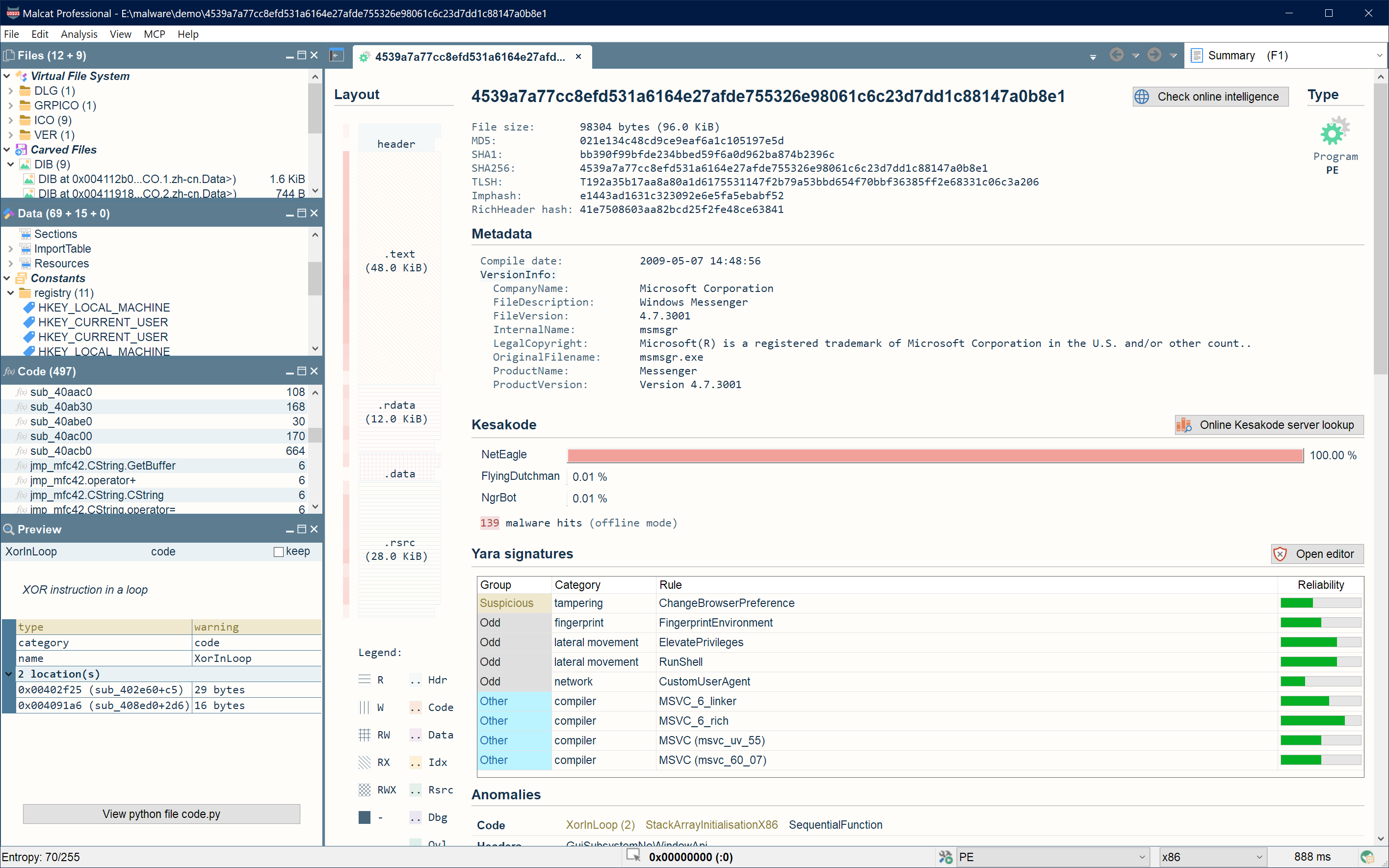
Understand code
Inspect x86/x64, ARM, MIPS, .NET, Python 2 and 3, VB p-code, NSIS/Inno Setup VM, AutoIt and Office macros. Malcat embeds the Sleigh decompiler for x86, ARM and MIPS; see the architecture table for the scope of each analyser.
Follow references through text and graph views. Malcat highlights known constants and FLIRT signatures, recovers static and stack strings, and ranks strings to help you find relevant evidence.
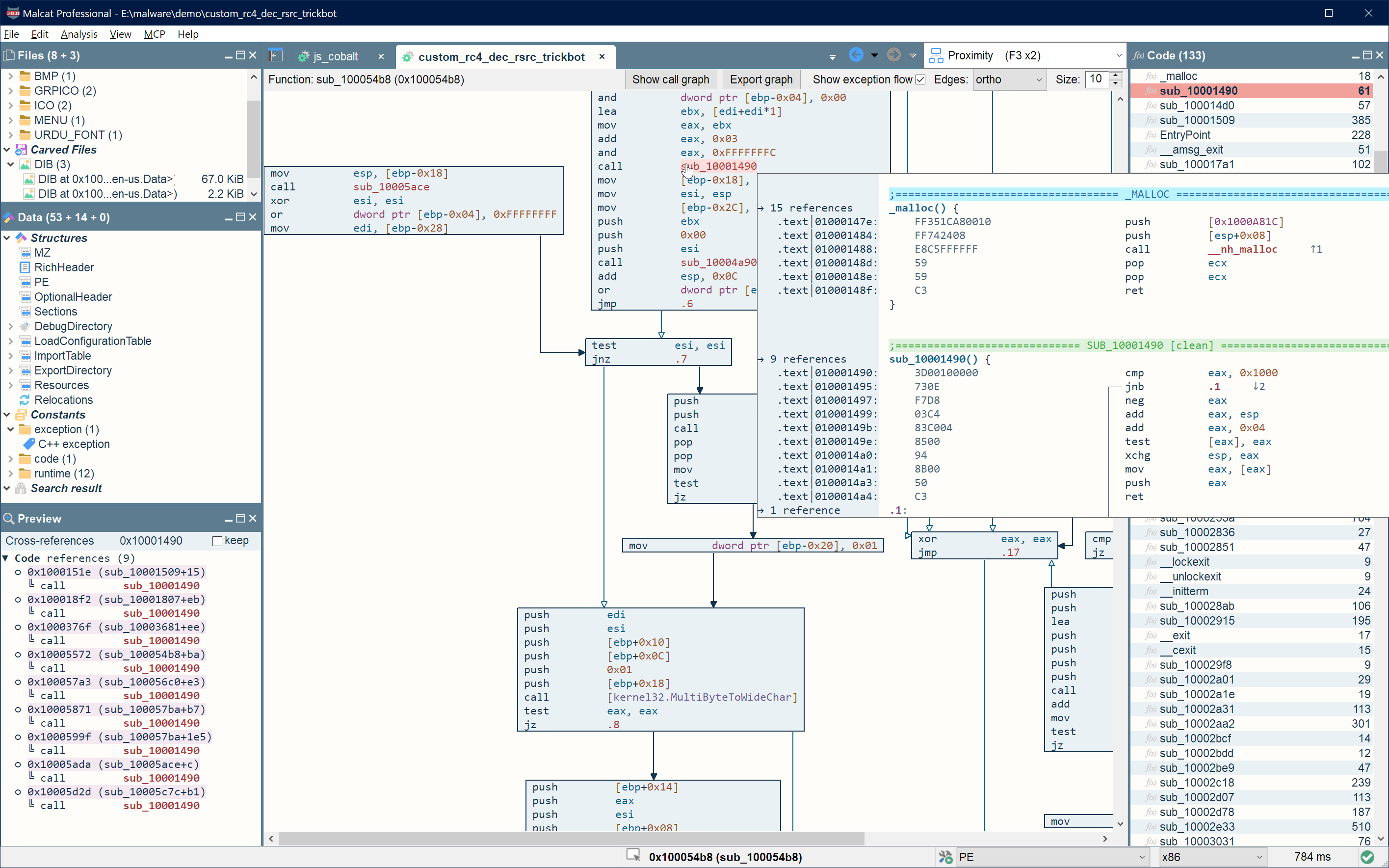
Identify threats
Kesakode compares functions and strings against malware, clean software and library code to help identify malware families and focus on distinctive artifacts.
Inspect family matches alongside anomalies and threat-intelligence results. Use corpus search to compare findings with your local collection.
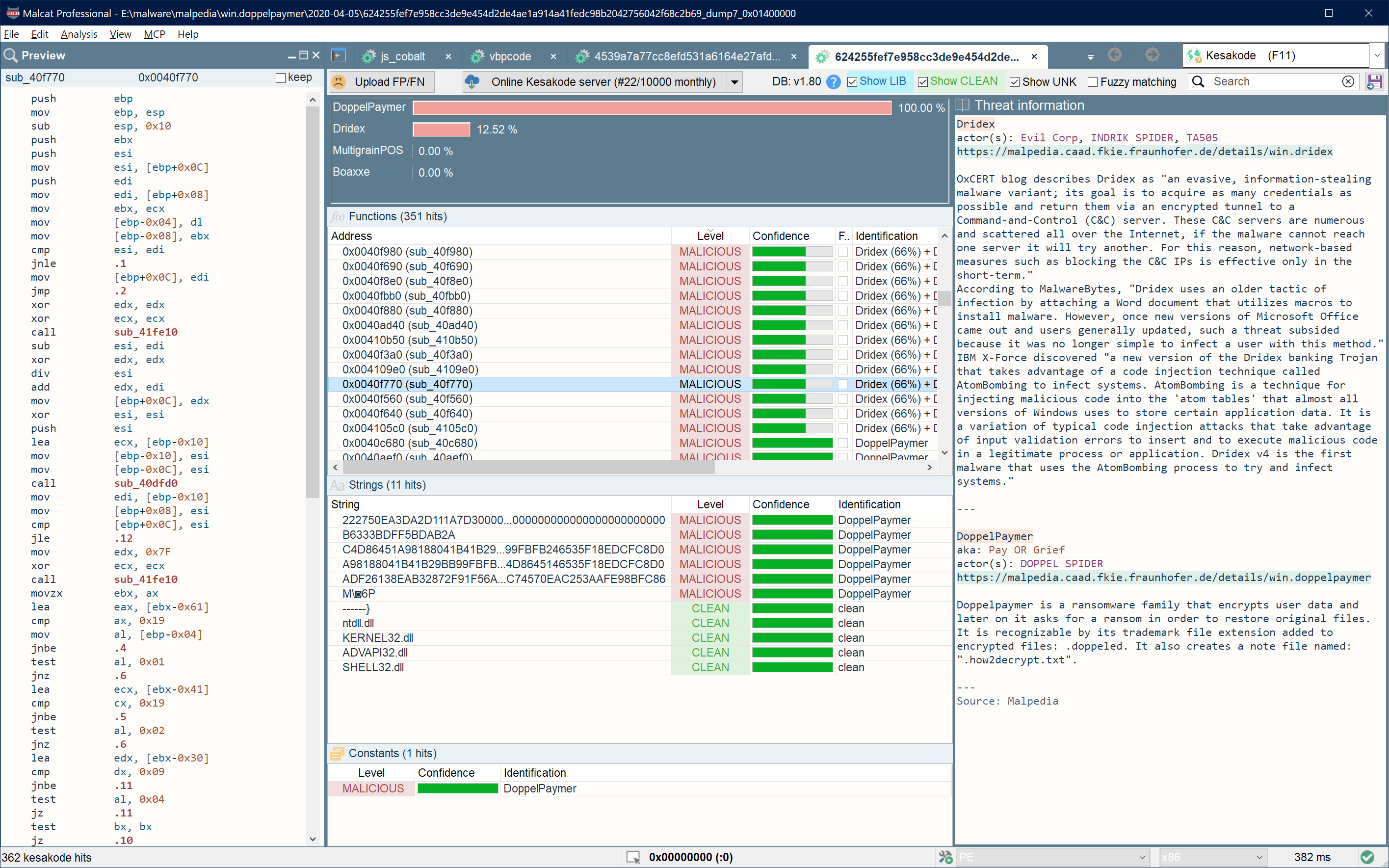
Recover payloads
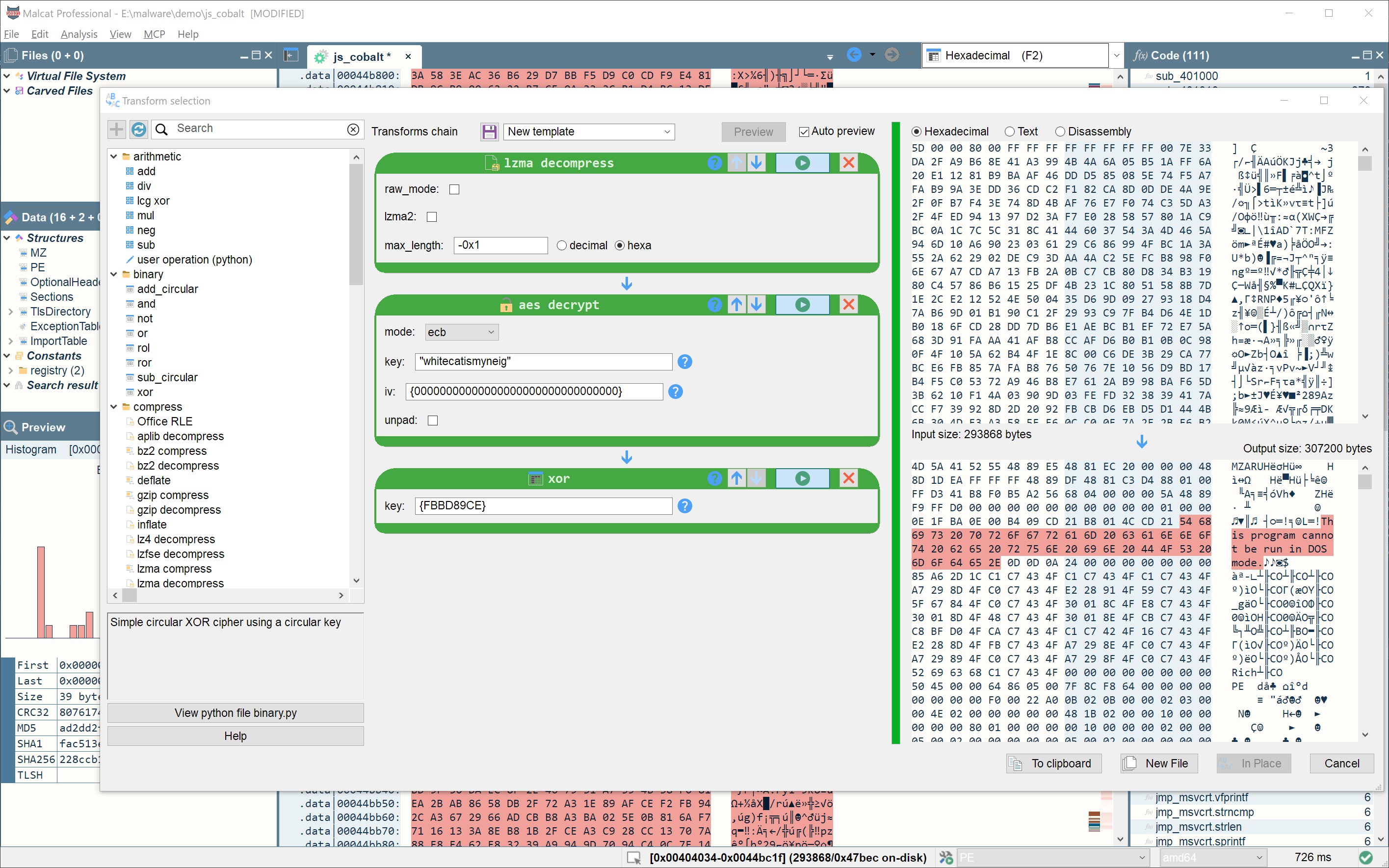
Select data and chain 80+ transforms to decode, decompress or decrypt content. Extract the result and continue inspecting the next stage within Malcat.
Patch fields through the inline structure editor or the Python API. Compare two binaries side by side to inspect structural differences and matching regions.
Create detections
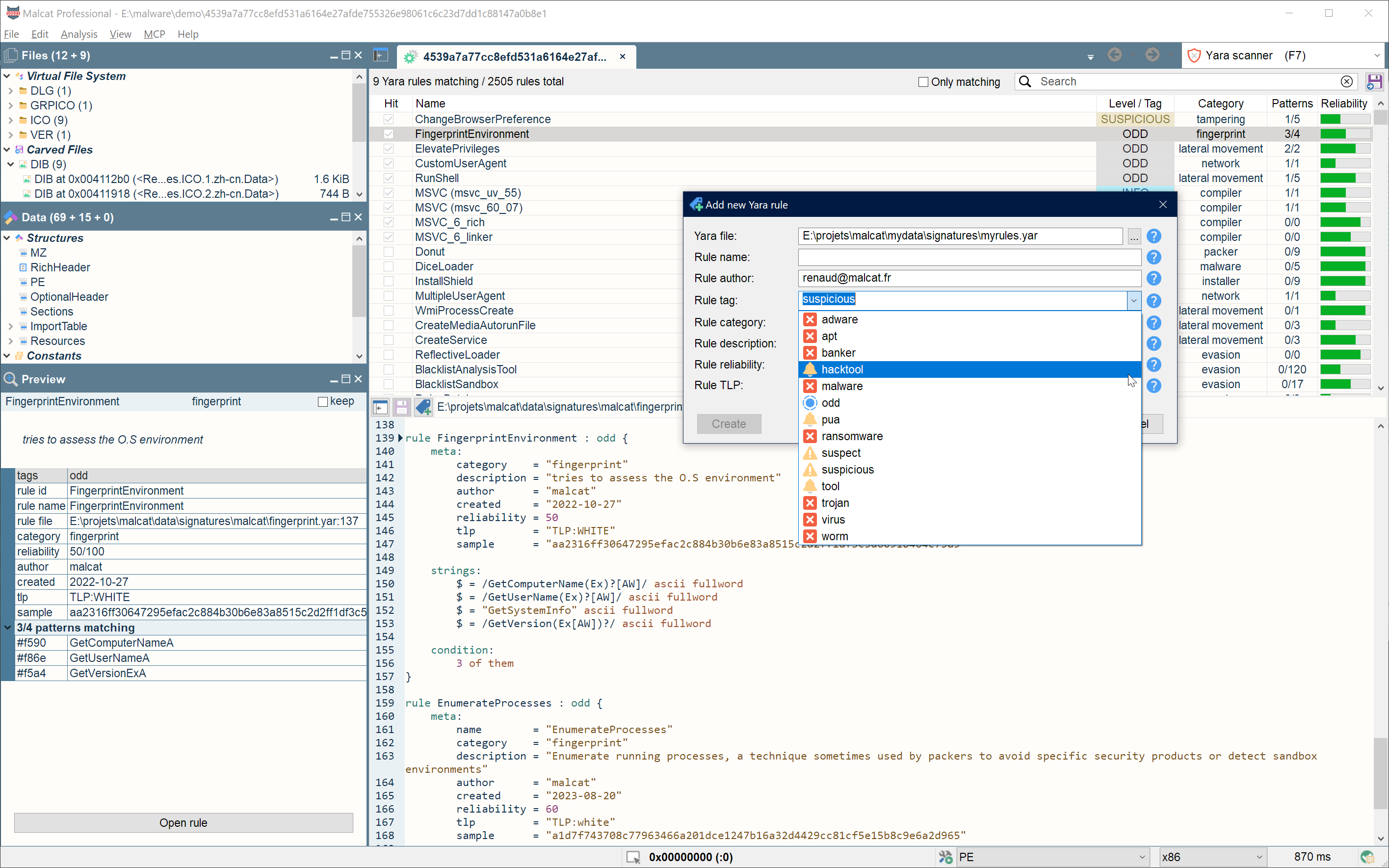
Scan a file with YARA, the native capa engine and Malcat's anomaly scanner. Inspect the locations and evidence behind each finding.
Write and test YARA or capa rules in the embedded editors. Turn distinctive functions, strings and recovered configuration data into detections or repeatable extraction scripts.
Automate
Use the Python API to write configuration extractors, deobfuscation routines and custom analyses. Headless bindings let you reuse those investigations in scripts.
The integrated MCP server lets an agent inspect code, apply transforms, rename symbols and add comments while you follow the investigation in the GUI. Malcat's keyboard shortcuts, HiDPI and Unicode support help you continue the work yourself.
Explore team automation with Logos · Build a product or pipeline